
choosing the right categories for your google business profile is one of the simplest things you can do to improve your local rankings. but most business owners either pick the wrong category, use too few, or don’t think about it at all.
here’s how to get your categories right and why it matters more than you think.
why categories matter for your local rankings
your google business profile categories tell google what your business does. they directly affect which searches your profile appears for in the map pack and local results.
google uses your categories to match your business with search queries. if someone searches “dentist near me” and your primary category is “dental clinic” instead of “dentist,” you might not show up for that search.
categories also determine which features google shows on your profile. some categories unlock appointment booking, menus, service lists, or product catalogs. the wrong category means you miss these features entirely.
in my experience working with 150+ local businesses, fixing categories alone has moved businesses from page 2 to the map pack within weeks. it’s that significant.
primary category vs additional categories
your primary category carries the most weight. it’s the single most important field in your entire google business profile. this is what google uses first when deciding if your business is relevant to a search.
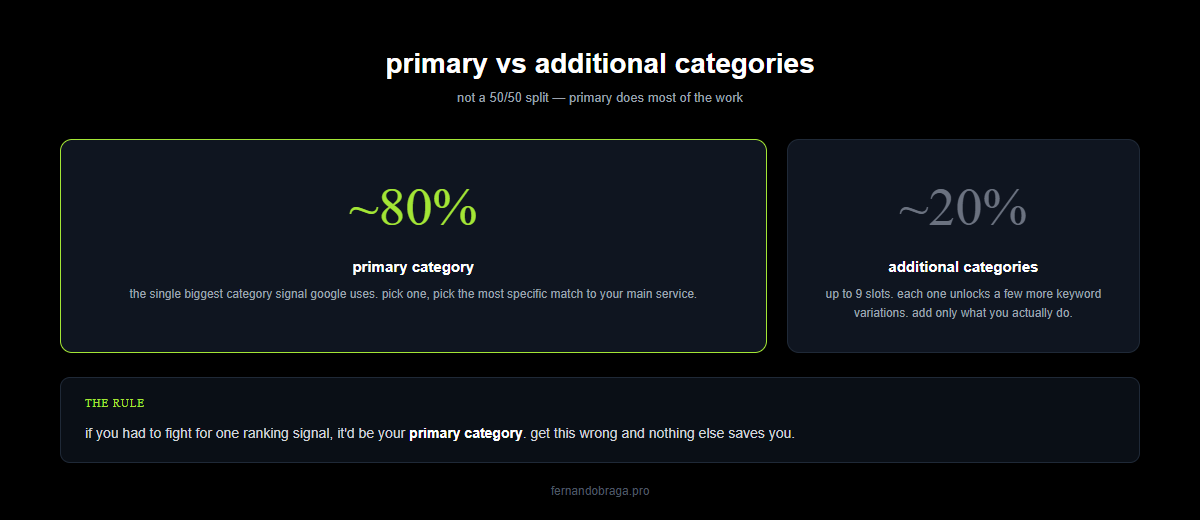
additional categories (you can add up to 9) expand your visibility for related searches. they carry less weight than your primary category, but they still matter.
key differences:
- primary category: visible on your profile, strongest ranking signal, only one allowed
- additional categories: not visible to users, secondary ranking signal, up to 9 allowed
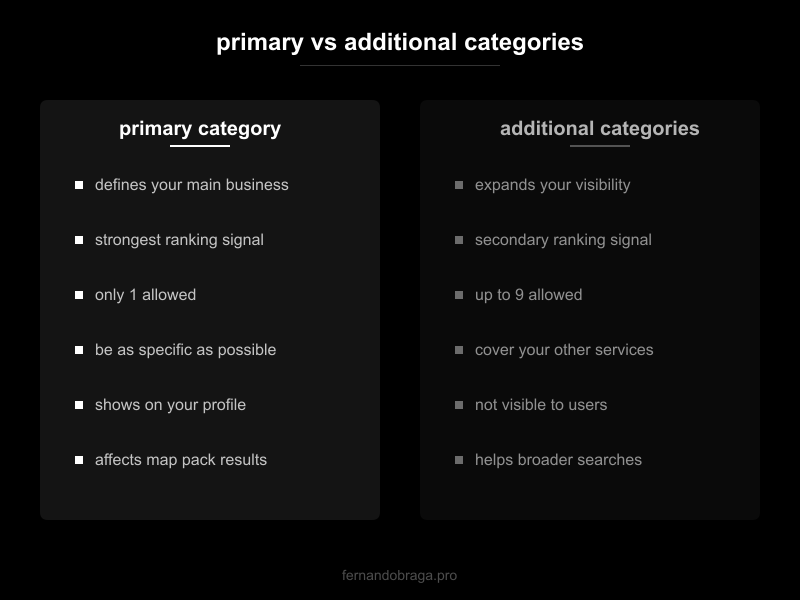
your primary category should be the most specific description of your core service. additional categories should cover your other services that google has categories for.
how to find the best categories for your business
google doesn’t publish a master list of categories in an obvious place. but there are practical ways to find the right ones.
checking what competitors use
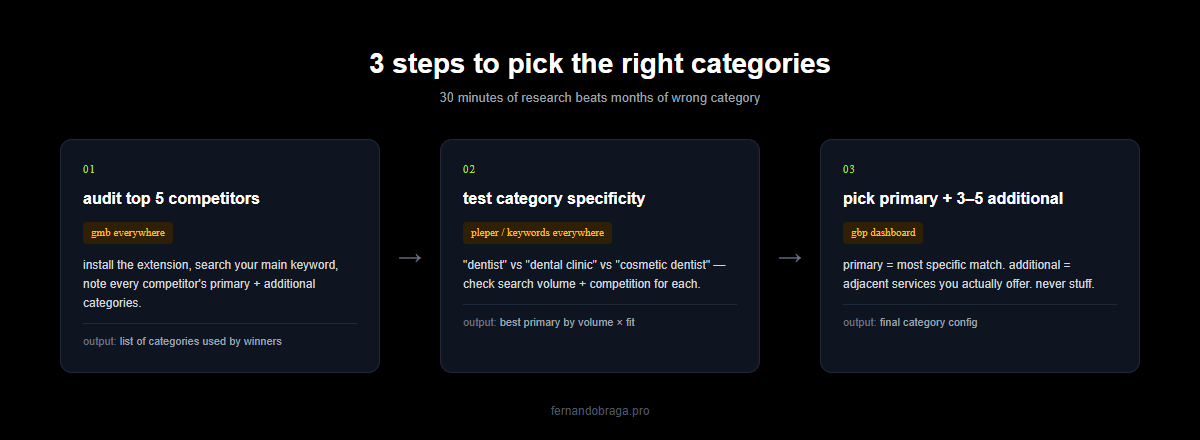
the fastest method: look at what your top-ranking competitors use.
- search for your main service + your city on google
- click on each business in the map pack
- their primary category shows right under the business name
- for additional categories, use free tools like pleper’s gbp category tool or the gbp chrome extension
if the top 3 businesses in your area all use “dermatologist” as their primary category, that’s a strong signal you should too. don’t try to be creative here. match what’s working.
using google’s category list
when you edit your categories in google business profile, start typing and google will show matching options. but the suggestions aren’t always complete.
try different variations of your service. for example:
- “lawyer” vs “attorney” vs “law firm” (these are different categories)
- “plumber” vs “plumbing service” (also different)
- “doctor” vs the specific specialty name
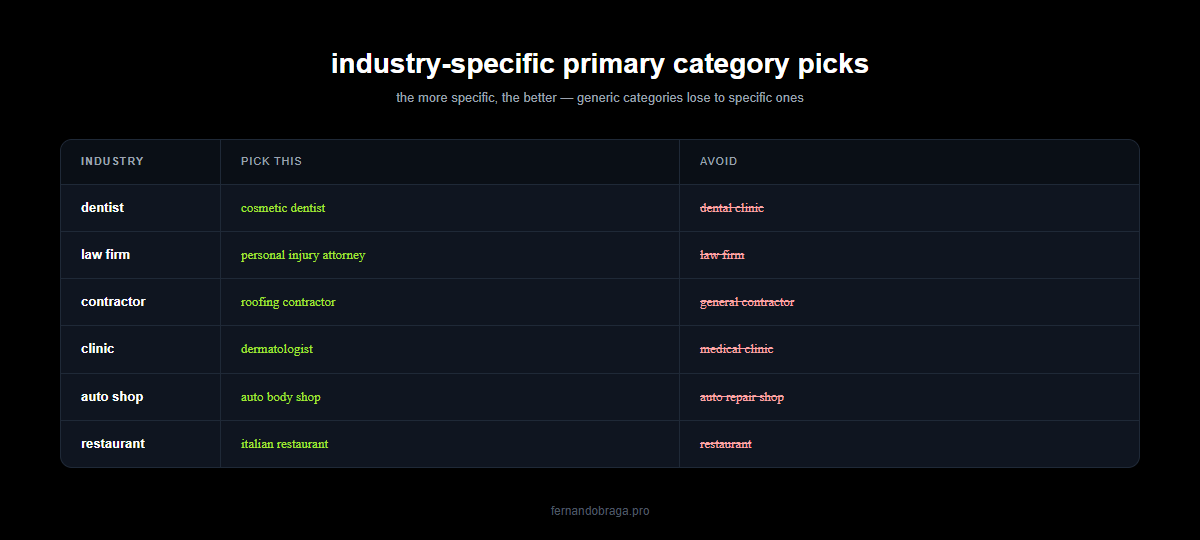
always pick the most specific category available. “cosmetic dentist” is better than “dentist” if that’s your primary service. “personal injury attorney” is better than “lawyer” if that’s what you do.
category mistakes that hurt your rankings
these are the most common mistakes i see when auditing local businesses:
- too generic: using “medical clinic” when “dermatology clinic” exists. specificity wins
- too few categories: only using a primary category when you offer multiple services that have matching categories
- irrelevant categories: adding categories for services you don’t actually offer just to appear in more searches. google can detect this and it hurts your profile
- keyword-stuffed business name: not a category issue directly, but many businesses stuff keywords into their business name thinking it works like categories. it violates google’s guidelines and can get your profile suspended
- copying a different business type: a medical spa using “day spa” as primary category because it seems similar. they’re different businesses in google’s eyes
if your profile isn’t showing up in search results, wrong categories are one of the first things to check.
industry-specific category recommendations
based on what i’ve seen work for my clients across different industries:
medical / dental practices
- dentist: primary “dentist,” additional: “cosmetic dentist,” “pediatric dentist,” “dental clinic,” “teeth whitening service”
- dermatologist: primary “dermatologist,” additional: “skin care clinic,” “dermatology clinic,” “medical spa” (only if you offer those services)
- general practitioner: primary “doctor,” additional: “medical clinic,” “family practice physician,” “medical office”
for medical practices, always use the specialty name rather than generic terms. google has categories for most medical specialties.
law firms
- personal injury: primary “personal injury attorney,” additional: “law firm,” “accident attorney,” “lawyer”
- family law: primary “family law attorney,” additional: “divorce lawyer,” “law firm,” “child custody attorney”
- criminal defense: primary “criminal justice attorney,” additional: “law firm,” “lawyer,” “legal services”
note: “attorney” and “lawyer” are separate categories in google. add both as additional categories to cover searches using either term.
home service contractors
- plumber: primary “plumber,” additional: “plumbing service,” “water heater installation service,” “drain cleaning service”
- electrician: primary “electrician,” additional: “electrical installation service,” “lighting contractor,” “electric vehicle charging station contractor”
- hvac: primary “hvac contractor,” additional: “air conditioning contractor,” “heating contractor,” “air conditioning repair service”
for contractors, google has very specific service-level categories. use them. “drain cleaning service” as an additional category means you can show up when someone specifically searches for drain cleaning.
when to change your categories
categories aren’t set-and-forget. review them when:
- you add new services: if you start offering a new service that has a matching google category, add it
- your rankings drop: google sometimes changes how categories work or adds new ones. what worked a year ago might not be optimal today
- google adds new categories: google regularly adds new, more specific categories. check quarterly if a better match is available
- you’re not showing up for key searches: if competitors rank for searches you should appear in, compare your categories to theirs
- your business focus changes: if you pivot from general practice to a specialty, your primary category should reflect that
after changing categories, give it 2-4 weeks to see the impact. google doesn’t update rankings instantly.
want to know if your google business profile categories are set up correctly? request a free audit and i’ll review your categories, along with every other factor affecting your local rankings.
if you’re looking to fully optimize your google business profile, categories are just the starting point. but they’re a critical one.